Is this you?
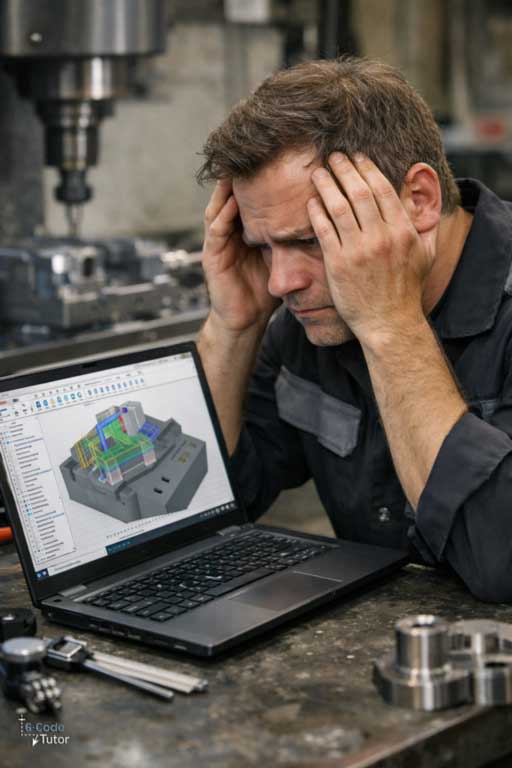
Staring at Fusion 360, unsure where to begin.
You know how to run a CNC mill.
You can load tools, set offsets, and run proven programs.
But when it comes to CAD and CAM, confidence drops.
You sketch a part and something feels off.
Lines move when they should not.
Dimensions are not fully defined.
The model looks right, but you do not fully trust it.
So you push on anyway.
CAM makes it worse.
You guess the setup.
You are not certain where the origin should be.
You simulate over and over, watching closely for something unexpected.
Sometimes it works.
Sometimes it does not.
You copy settings from old jobs or online videos without really knowing why they work.
You slow feeds down just in case.
You stand closer to the E-stop than you should.
Maybe you learned Fusion by clicking around.
Maybe you followed tutorials that showed what to click, not why.
So you rely on trial and error instead of certainty.
That uncertainty shows up as:
- Sketches that break when you change one dimension
- Models that are hard to machine cleanly
- Toolpaths you do not fully trust
- Constant simulation without real confidence
- Avoiding complex parts or multi-setup jobs
I have seen this again and again.
Capable machinists fighting software instead of making parts.
The problem is not skill or effort.
It is never being shown how Fusion 360 fits into real CNC machining.
If Fusion 360 still feels awkward, you are not alone.
Maybe you picked it up over time.
Maybe you learned enough to get by.
Maybe you can finish parts, but you never feel completely at ease.
You change one dimension and something else breaks.
A sketch shifts.
A feature fails.
The model looks right, but you do not fully trust it.
CAM adds another layer of doubt.
A different tool.
A second setup.
A new material.
Now the toolpath feels aggressive.
Clearances feel tight.
You watch the simulation more than you should.
So you slow everything down.
You take lighter cuts than needed.
You add extra operations just in case.
You reuse old settings even when the part is different.
Sometimes one small decision leads to wasted time or a part that does not come out as planned.
So you stick to what feels safe.
You avoid complex parts.
You design around what you feel confident machining, not what the job actually needs.
That constant caution wears you down.
Not because you lack skill.
But because working in Fusion without real clarity makes every job heavier than it should be.
You see others move through CAD and CAM calmly.
Meanwhile, you are still second guessing.
Introducing: Fusion 360 CAD/CAM Training for CNC Milling Machinists
Fusion 360 can do almost anything. That is exactly why most machinists struggle with it.
Most courses try to teach the whole software. Sculpting. Rendering. Animation. Design tools that look impressive but are never used to make real parts.
As a machinist, that extra material does not help you. It just adds noise.
You are left trying to work out which tools matter, which ones can be ignored, and how CAD and CAM are supposed to fit together, while picking things up in fragments and filling gaps as you go.
This course was built to remove that confusion.
It teaches Fusion 360 the way a machinist actually needs it, from the first sketch to posted G-code, using the same methods used in real machine shops.
Only the tools and techniques required to design and machine parts on a CNC mill are included. Nothing is taught just because the software can do it. Nothing is added unless it directly supports making a part.
Everything is structured. Nothing is assumed.
This is not a collection of tips or shortcuts. It is complete CAD/CAM training for CNC milling.
Model parts the right way
Learn how to build clean, controlled models from fully defined sketches. Understand constraints, design intent, and why models fail when they are built without structure.
Grow parts logically, the same way an engineer would, so changes behave predictably instead of breaking features later.
Create toolpaths you trust
Set up parts correctly from the start. Choose machining strategies that make sense at the machine, not just on the screen. Generate toolpaths that reflect how material is actually removed.
Know what the tool will do before it moves.
Work with confidence, not caution
Stop slowing everything down just in case. Stop guessing feeds, depths, and clearances. Post code knowing it will behave the way you expect.
Machine complex parts without fear
Handle pockets, profiles, drilling, and multi setup jobs with control. Design parts to be machined cleanly, not worked around.
Learn Fusion 360 as a machinist
No sculpting. No animation. No wasted features.
Only the CAD and CAM skills needed to design and machine real parts on a CNC milling machine.
This course is taught by a time served machinist and senior CNC machine tools engineer, and built to give you a level of CAD/CAM understanding most machinists never receive.
Enroll today for just $257 $147
14-day money back guarantee. Free life time updates
YES! I WANT THE FUSION 360 FOR MILLING COURSE


But dont just take my word for it. Take a look at this.
Real feedback from machinists who have taken the course and seen results.
As having much experience with Solidworks and Mastercam with decades of machining experience I find this outstanding. Those who need to understanding fusion 360 this seems to be a well thought out teaching lesson, clearly starting with the controls. A must lesson for beginners who wants to learn fusion 360 software, the machining aspect is just a bonus.
Larry
I am surprised what I learnt and how easy was to learn, it was a basic run through but showed everything need to do for foundations and you can make your items as elaborate as want just by following the steps. Great value for money and will watch few times to see what missed inbetween
Bradley
I own a CNC machine (Shapeoko) as a hobby. This course gives me the essentials to learn about using Fusion 360 for CNC machine. That's really what I need to begin. Very interesting course. Now all I have to do is practice this knowledge to make very interting project.
Stephane
Very well explained. I learned that I've learned a lot of bad habits in fusion 360 - well worth the effort! thank you!
Paul
What you will learn
This course teaches Fusion 360 through complete, real CNC milling parts, not isolated features or disconnected examples.
You start by getting comfortable inside Fusion 360 itself. You learn how the interface is laid out, how to move confidently around a model, and how to navigate the software without constantly hunting through menus. The aim is to remove friction early, so the software stops getting in the way of the work.
From there, you move straight into designing and machining real components.
The first project introduces you to correct sketching and modelling practice. You learn how to create fully defined sketches, apply constraints properly, and build solid models that are stable and predictable. You see how design choices affect the machining stage, not just the appearance of the model.
You then move into CAM for that same part. Toolpaths are built step by step, with each operation explained in context. You learn how to approach facing, roughing, finishing, drilling, and profiling in a logical order, and how to understand what the toolpath is actually asking the machine to do.
As the course progresses, sketching technique is refined. You learn practical tips and habits that prevent sketches from breaking, make edits safer, and keep models clean as designs change.
More advanced operations are introduced where they matter. You learn how thread milling is approached in Fusion 360, how tooling is defined correctly, and how tool geometry influences machining behaviour.
You then apply everything you have learned to larger, more demanding parts. These projects walk through the full CAD and CAM process from start to finish, showing how to manage more complex sketches, deeper features, and multiple machining operations without losing control of the workflow.
Each complete part reinforces the same core process: sketch with intent, model with machining in mind, set up CAM correctly, and generate toolpaths you can trust.
By the end of the course, you will be comfortable taking a part from a blank screen to finished G-code. You will understand why each modelling and machining decision is made, not just how to click through it.
This training builds a repeatable CAD/CAM workflow you can apply to your own parts, your own machines, and your own tooling, with far more confidence and far less hesitation.
Here are the lessons and bonuses that you will get when you purchase this course.
Fusion 360 CAD/CAM Training for CNC Milling Machinists
Value $147
Stop using Fusion 360 by trial and error.
Most machinists are shown which buttons to click, but not why a model behaves the way it does or how a toolpath will affect the cut. That leads to broken sketches, cautious feeds, constant simulation, and hoping the machine behaves once the code is posted.
This course teaches you how Fusion 360 actually works for CNC milling, so you understand what the machine will do before it moves.
You will learn how sketching, constraints, modelling choices, setups, tooling, and machining strategies all work together. You will understand how to design parts that machine cleanly and how to generate toolpaths that are accurate, predictable, and repeatable across facing, pocketing, profiling, drilling, and finishing operations.
This is practical CAD/CAM training you can use immediately at the machine.

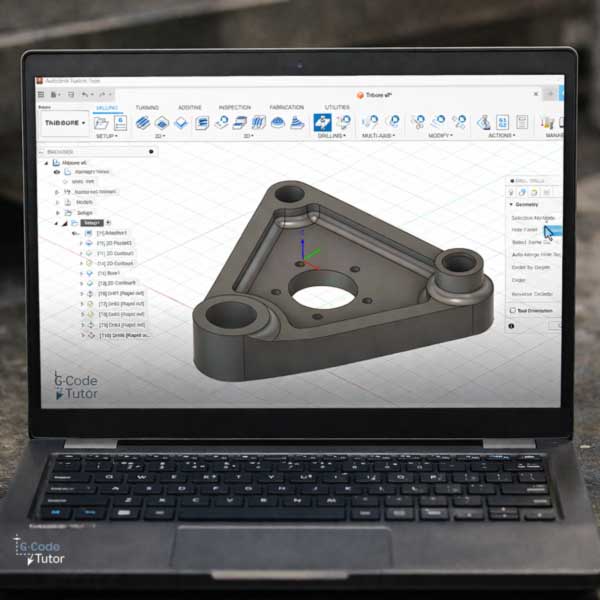
BONUS: The Tribore CAD/CAM Project
Value $97
This bonus walks you through a complete, complex CNC milling part from start to finish using Fusion 360.
You model the Tribore correctly in CAD, then move straight into CAM to set up the job, choose tooling, and generate accurate roughing and finishing toolpaths.
The focus is on seeing the full workflow in one place. How modelling choices affect machining. How CAM strategy affects the cut.
By the end of this bonus, you will be confident taking a complex part from a blank screen to finished G-code, using a clear and repeatable CAD/CAM process.
EVERYTHING YOU GET INSIDE THE CAD/CAM MILLING COURSE FOR $257 $147
Practical, shop-floor training that gives you the confidence to understand Fusion 360 safely, and run real jobs without guesswork.
Fusion 360 milling course
$147
Included
- Learn every technique needed to produce parts
- Master techniques used by aerospace engineers
- A copy of Fusion 360 is required to take this course
BONUS: The Tribore CAD/CAM Project
$97
Yours Free
- Complex part programmed from scratch
- Test your new skills
- Helps prepare you for production work
Total Value: $257
Todays Price: Just $147
Fusion 360 CAD/CAM Training That Builds Real Skill
The fastest way to stop guessing and start knowing what will happen before the machine moves.
This Fusion 360 CAD/CAM course teaches you how CNC milling jobs are really built, from sketch to posted G-code. You learn how sketching, constraints, modelling choices, setups, tooling, and machining strategies all work together, so you can generate toolpaths with confidence instead of caution.
Everything is taught using real CNC milling examples, shown step by step inside Fusion 360 and explained in plain language, with no filler.
$257 $147
YES! I WANT THE FUSION 360 MILLING COURSEInstant access. Learn at your own pace. No fluff, just skills you use at the machine.
14-day money-back guarantee. If this course does not improve your confidence and understanding at the control, you get your money back. No stress, no hassle. (note: does not include fusion 360)
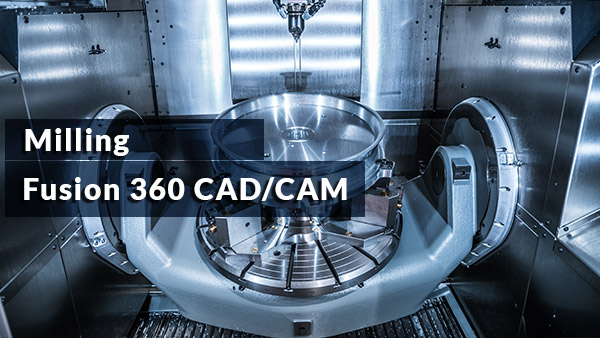
Over 9 hours of video tutorials
bundle content
- Complete Fusion CAD/CAM Training
- Fantastic value
- Become an expert at computer aided manufacture
- Kick start your career today
- Free updates for life
Both CAD/CAM courses
Fusion 360 for CNC Lathes
Fusion 360 for CNC Mills
Over 8 hours of video lessons
Save $$$ buy the CAD/CAM bundle!
please note that this package does NOT include the G-Code courses
Price for this course
$147
(Not including VAT if applicable)
Complete Fusion for milling training
Increase your earnings
Better job prospects
Both Fusion courses
$237
Save $57
Complete Fusion machine shop training
Fusion 360 for CNC Lathes
Fusion 360 for CNC milling machines
If your question is not answered in this FAQ section, feel free to message me on my contact page.
They take care of your transaction with their secure payment processors that support several different payment methods.
Sign up now for lifetime free updates at just $257 $147
Each time new content is added to the course the price will Increase
YES! I WANT THE FUSION 360 FOR MILLING COURSE